

Fair Value Gaps
Read imbalance zones as optional context for pullbacks, retests, and acceptance.
Most traders chase every gap. Atlas Pro filters for the ones that hold up to scrutiny.
A fair value gap is a three-candle imbalance — the middle candle expands hard enough that the wicks of the first and third candles never overlap, leaving a visible inefficiency on the chart. The textbook says price often returns to fill it. The harder question is which gaps actually matter and which are noise from a single high-volatility candle.
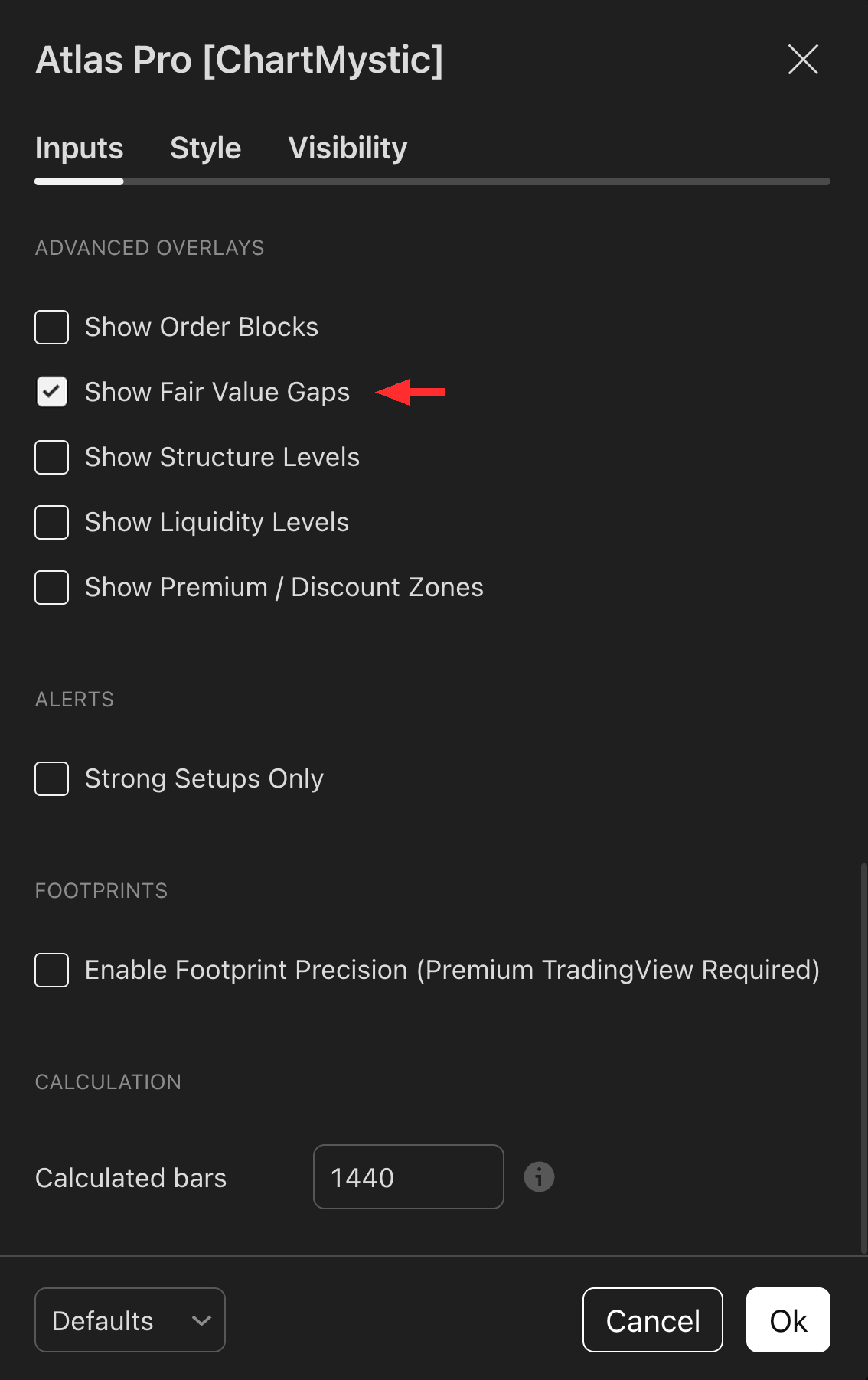
Fair Value Gaps are three-candle imbalances Atlas Pro renders as horizontal boxes — the kind of inefficiency price often returns to fill.
Enable Show Fair Value Gaps under the Advanced Overlays section to display them. Atlas Pro filters which gaps render so only the more meaningful imbalances appear and single-candle noise gaps are suppressed.
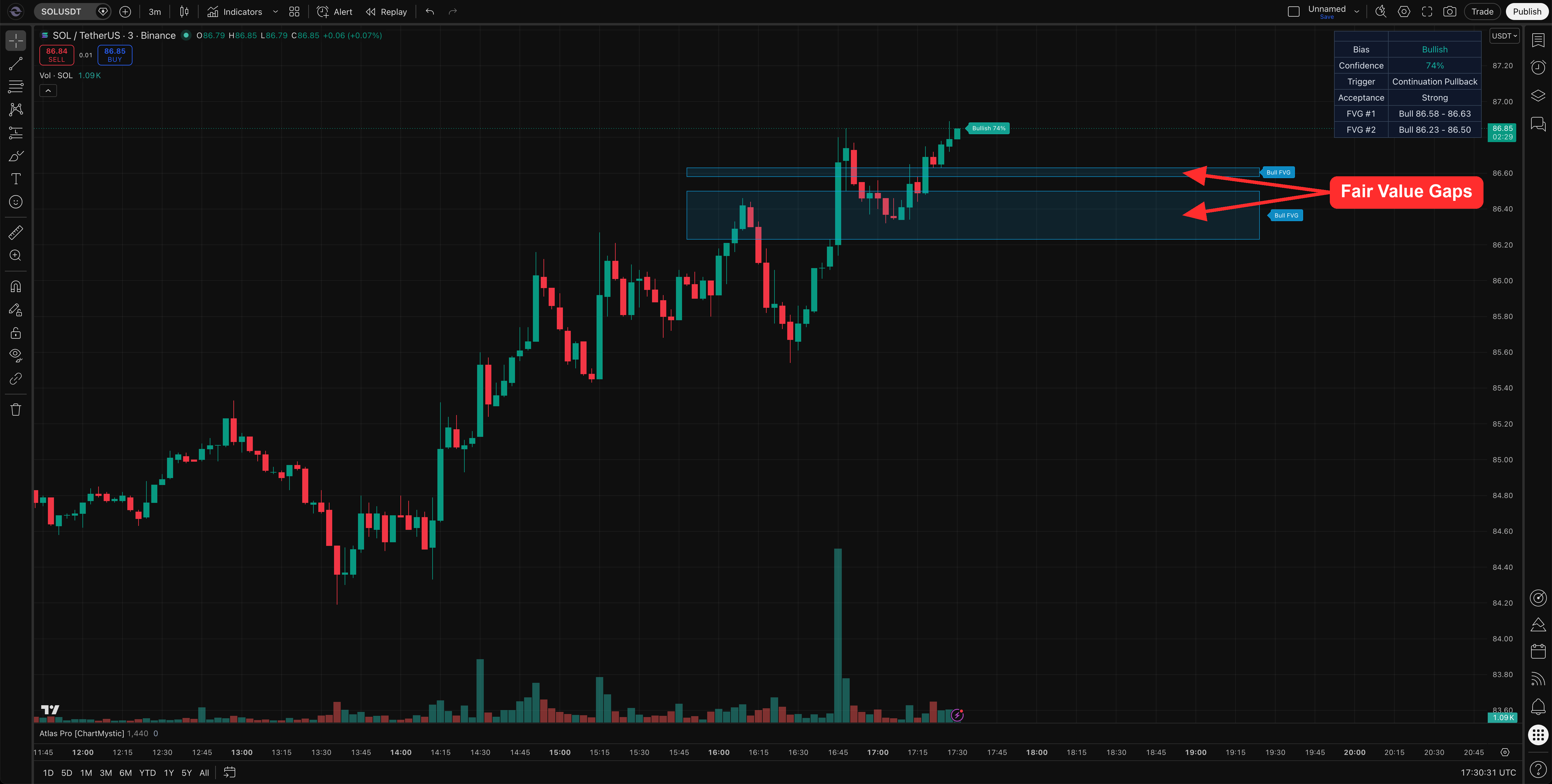
What Atlas Pro Renders
To keep the chart legible, Atlas Pro renders only the two nearest bullish FVGs and the two nearest bearish FVGs at any time. Stale and distant gaps fall off as new ones form. The visible set is the set worth watching from current price.
How Atlas Pro Filters Gaps
Atlas Pro screens for gaps with enough body strength and width relative to current volatility. A gap left by a single thin candle in low-volume tape gets ignored; a gap left by a decisive expansion bar that displaces structure stays on the chart. Active gaps can contribute to setup context, Key Zone selection, and the dashboard's FVG #1 and FVG #2 rows.
Bullish FVG
Sky-colored zone below the active price action. Represents an unfilled demand inefficiency — a place where price moved up too quickly to fully transact. Watch for reactions from inside the zone on pullbacks.
Bearish FVG
Orange-colored zone above the active price action. Represents an unfilled supply inefficiency — a place where price moved down too quickly. Watch for rejections from inside the zone on rallies.
How To Enable Fair Value Gaps
- Open Atlas Pro settings.
- Go to Advanced Overlays.
- Toggle Show Fair Value Gaps on.
If several overlays are on at once, the chart starts to fight itself. Keep only the families you are actively using.
How To Use Fair Value Gaps
FVGs earn their keep around four moments:
- Pullbacks. Price pulls back into a same-side FVG before resuming the move.
- Continuation. A held FVG acts as a launchpad for the next leg.
- Retests. A gap reclaimed after first failure can become the moment a thesis re-arms.
- Acceptance checks. How price behaves inside the gap tells you whether the imbalance still matters.
Read FVGs alongside the dashboard, the current directional read, and the Key Zone. A gap by itself is geometry, not a thesis.
Example Use
Price pulls back into a bullish FVG, prints a rejection from inside the zone, and the dashboard moves from Building to Strong acceptance on the next bar. The gap helped locate where demand was likely to show up.
Price slices straight through the same gap on an expansion candle and acceptance drops to Weak. The gap did not hold — and that fact matters more than the gap's existence ever did.
Common mistakes
- Trading every gap as a magnet. Plenty of gaps never fill, especially in strong trending moves. The unfilled ones can be exactly the right ones.
- Ignoring acceptance. A wick into a gap that closes back out is reaction. A close inside a gap with follow-through is acceptance. They are not the same.
- Forcing a side. If the nearest two same-side gaps are far above current price, there may simply be no useful FVG context for the current setup. Move on.