

Live And Confirmed Signals
Understand the difference between live reads, confirmed signals, and historical markers.
Atlas Pro publishes two kinds of output, and the difference between them is the single concept most users get wrong on first install. The Live Bias Marker is the developing read on the current bar. Confirmed Signals are closed-bar events. Internalize that distinction and most realtime confusion disappears.
Live Bias Marker
Always one object near current price. Updates intrabar. Reflects the forming candle. Use it for the current chart state — never for closed-bar confirmation.
Confirmed Signal
Painted only after bar close, only when Signal Mode gating and release rules have cleared. Anchored permanently to its signal bar. Use it for closed-bar confirmation and alert events.
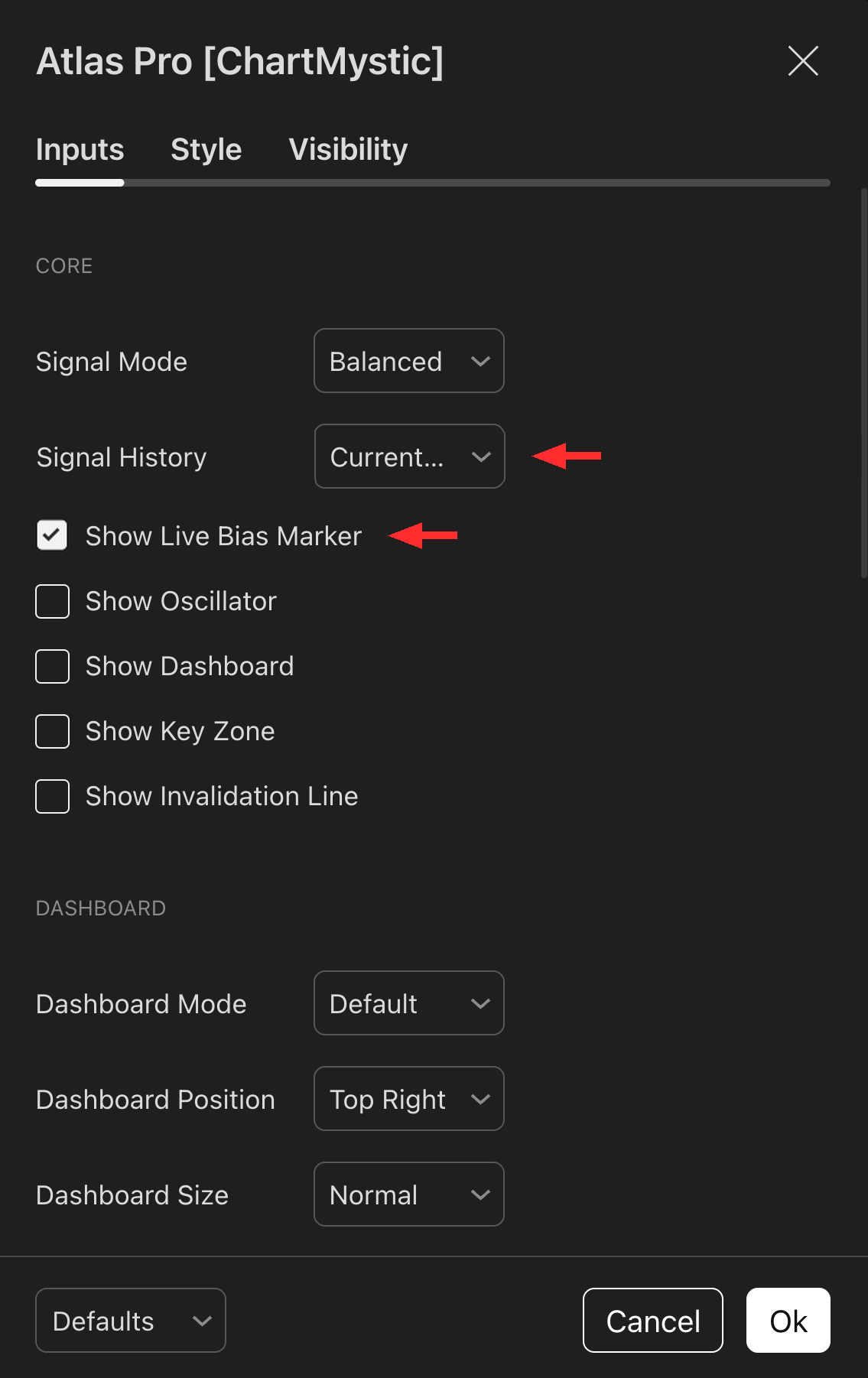
The Live Bias Marker is the persistent label next to current price that shows the engine's developing read on the forming bar.
Make sure Show Live Bias Marker is enabled under the Core section of the Atlas Pro settings to keep it on the chart. Turn it off only if you want a cleaner closed-bar-only view and don't need the live read.
Signal History, just above it, controls how many of the historical confirmed markers stay rendered on the chart — All, Current Session (the default), or Off.
Live Bias Marker
The Live Bias Marker is a persistent text label that sits next to the current bar. It prints the engine's front-edge read as Bullish 68% or Bearish 74% — one dominant side, one confidence percentage, one active thesis. There is always exactly one Live Bias Marker on the chart, and it lives next to current price rather than scrolling off into history.
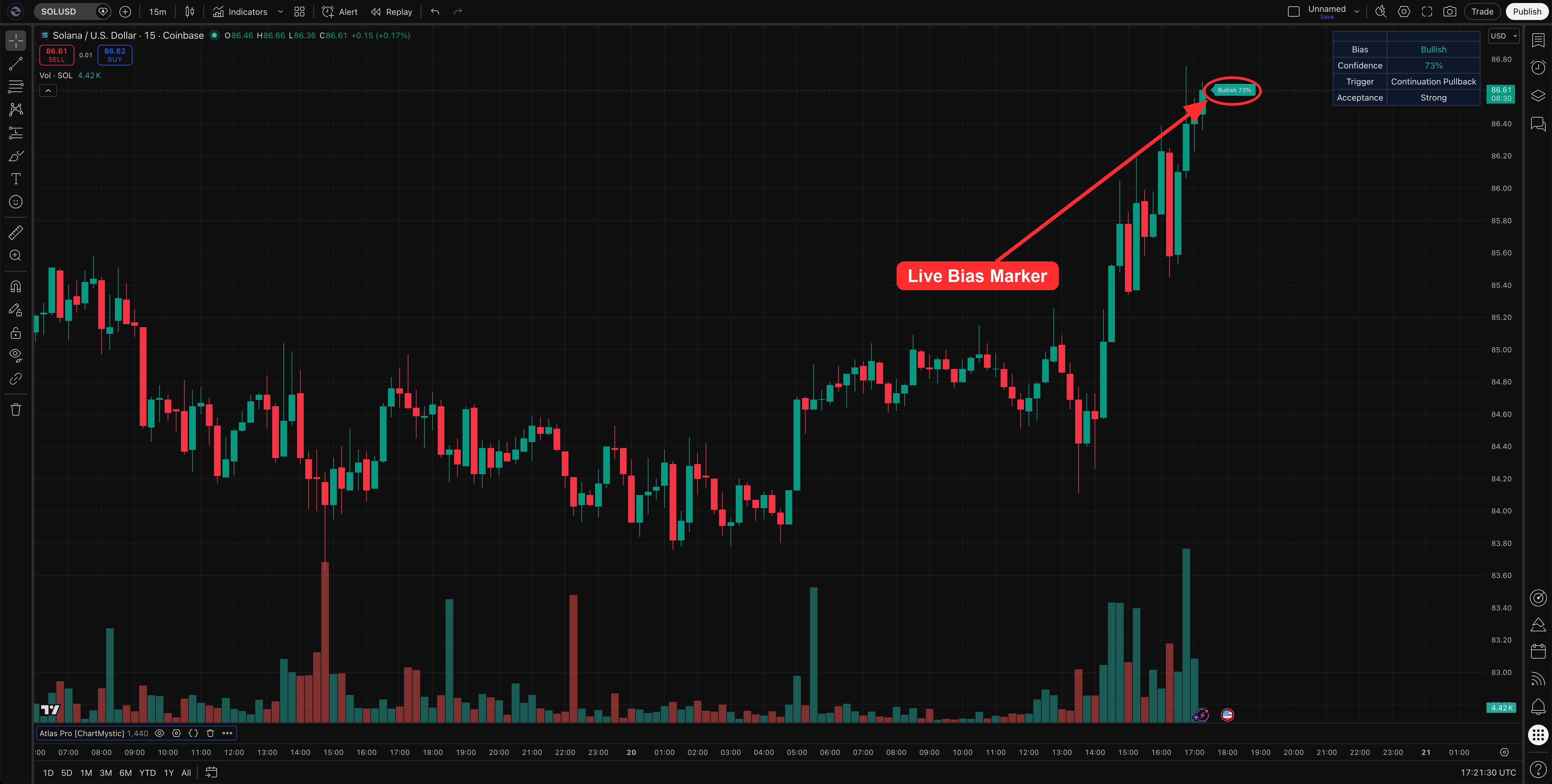
Because it reflects the current forming candle, the marker can update as price moves. That is the design. If the bar changes shape, reclaims a level, loses momentum, or rotates against the read, the marker updates. The label format stays the same — the side and the percentage refresh in place.
Size and opacity scale with confidence. A Bullish 84% read renders bolder than a Bullish 52% read. The visual weight is meant to give you a peripheral sense of how committed the engine is without having to read the percentage explicitly.
The visual rule is simple: the Live Bias Marker is always present, always one object, always next to current price. It is never a permanent chart artifact. Confirmed Signals are what stick to history.
Use the Live Bias Marker for the current chart state. Do not treat it as a closed-bar signal.
Confirmed Signals
Confirmed Signals appear after a candle closes and Atlas Pro's confirmation logic clears. They mark closed-bar events rather than intrabar movement.
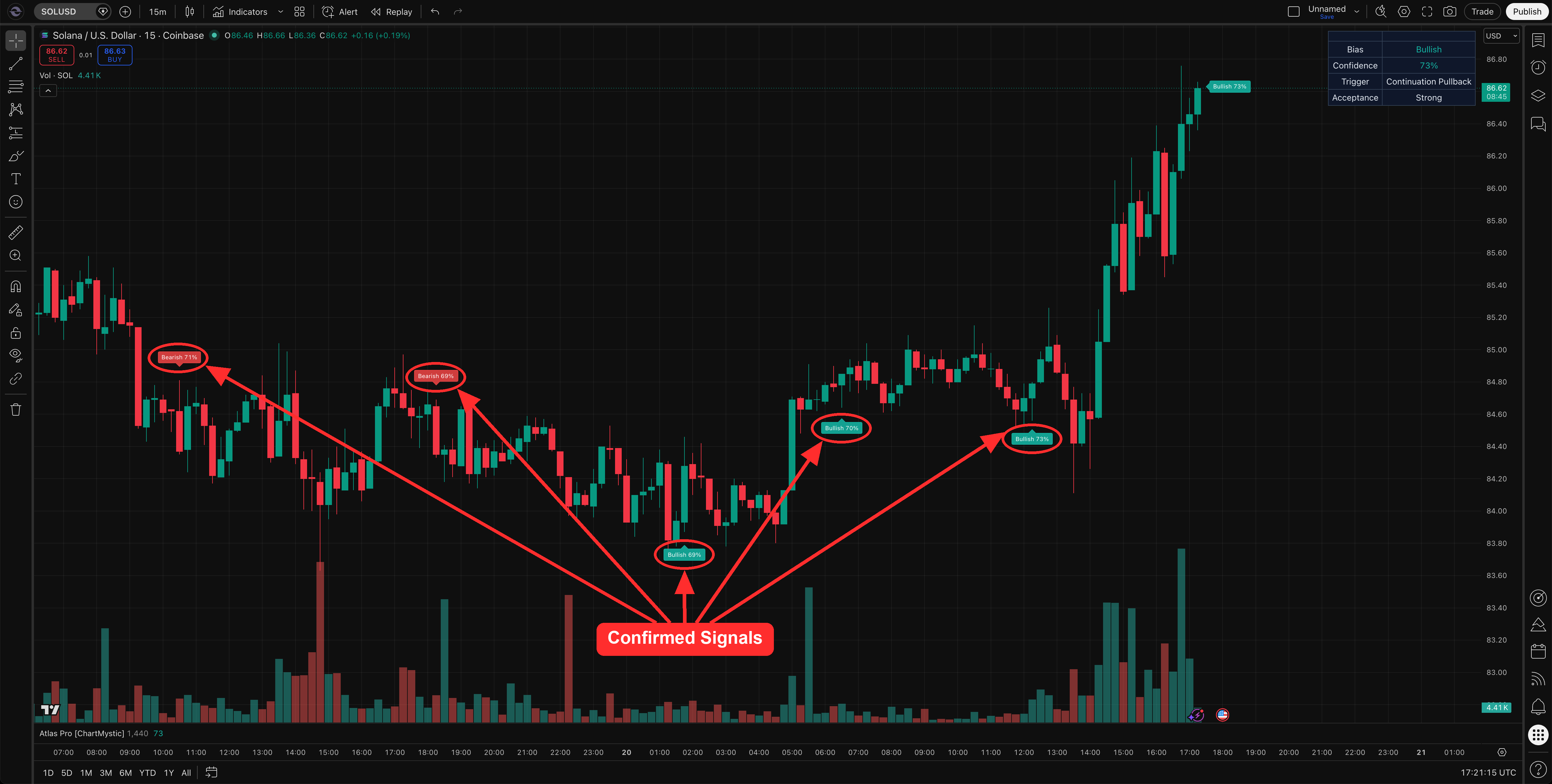
Confirmed markers are controlled by Signal Mode, release spacing, and rearm rules. Together those rules prevent the chart from being stamped repeatedly during one uninterrupted move. One trend is one signal, not twelve.
Signal History
Signal History controls how much historical signal output appears on the chart.
All— every historical marker.Current Session— current session markers plus a small number of recent historical markers.Off— hides historical markers entirely.
Use Current Session for a cleaner working chart. Use All when you are reviewing historical behavior. Use Off when you only want the live read and other context visible.
Non-Repaint Behavior
Atlas Pro draws a hard line between live output and confirmed output, and the line is part of the design philosophy — not an afterthought. If a piece of output is allowed to move, it lives in the Live Bias Marker. If it isn't, it is a Confirmed Signal. The engine never blurs the two.
The Live Bias Marker reflects the current forming candle and is allowed to update as price moves. That is the point of a live read — to give you the engine's front-edge view of an in-progress bar. Confirmed Signals are evaluated only after bar close, and once a confirmed marker is placed it stays anchored to its original signal bar forever. The marker does not redraw, does not recolor, does not relocate, and does not get retroactively removed. Confirmed-signal alert conditions fire on the same closed-bar event that paints the marker, so what alerts you is exactly what you see on the chart.
Historical backfill uses the same closed-bar release logic as live operation. When you scroll back through history, you are looking at the markers that would have printed in real time on each of those bars — not a hindsight reconstruction. That single property is what makes confirmed-signal history a fair benchmark for the indicator's behavior, instead of an unfalsifiable record of "what we would have seen if we knew what came next."
The rule, plainly: live output can update; confirmed output is final after confirmation.
Why A Live Read May Not Become A Confirmed Signal
A live read is a developing interpretation. Confirmation requires more.
A live read may not become a confirmed signal if:
- The candle changes shape before it closes.
- Confidence does not clear the active Signal Mode gate.
- The setup weakens before confirmation.
- Release spacing prevents repeated same-side markers.
- Auction Acceptance reads
WeakorRejectedafter the trigger.
That is not an error. It is the gap between realtime context and confirmed output — and the gap is the point.
Recommended Signal Workflow
Use this workflow when learning:
- Watch the Live Bias Marker for the current read and confidence.
- Check the Dashboard for trigger and acceptance context.
- Wait for confirmed markers if your workflow requires closed-bar confirmation.
- Use Atlas Pro confirmed-signal alerts to be notified when confirmation prints.
- Review the Key Zone and Invalidation Line before planning any action.