

Signal Modes
Choose Conservative, Balanced, or Aggressive confirmed-signal behavior.
Signal Mode controls how selective Atlas Pro is when printing confirmed signals. It does not turn Atlas Pro into a different product — it adjusts how much evidence the engine requires before a confirmed marker appears.
The Live Bias Marker tracks the engine state in real time across all three modes. Signal Mode shapes what becomes a confirmed historical marker, not the engine's ongoing directional assessment.
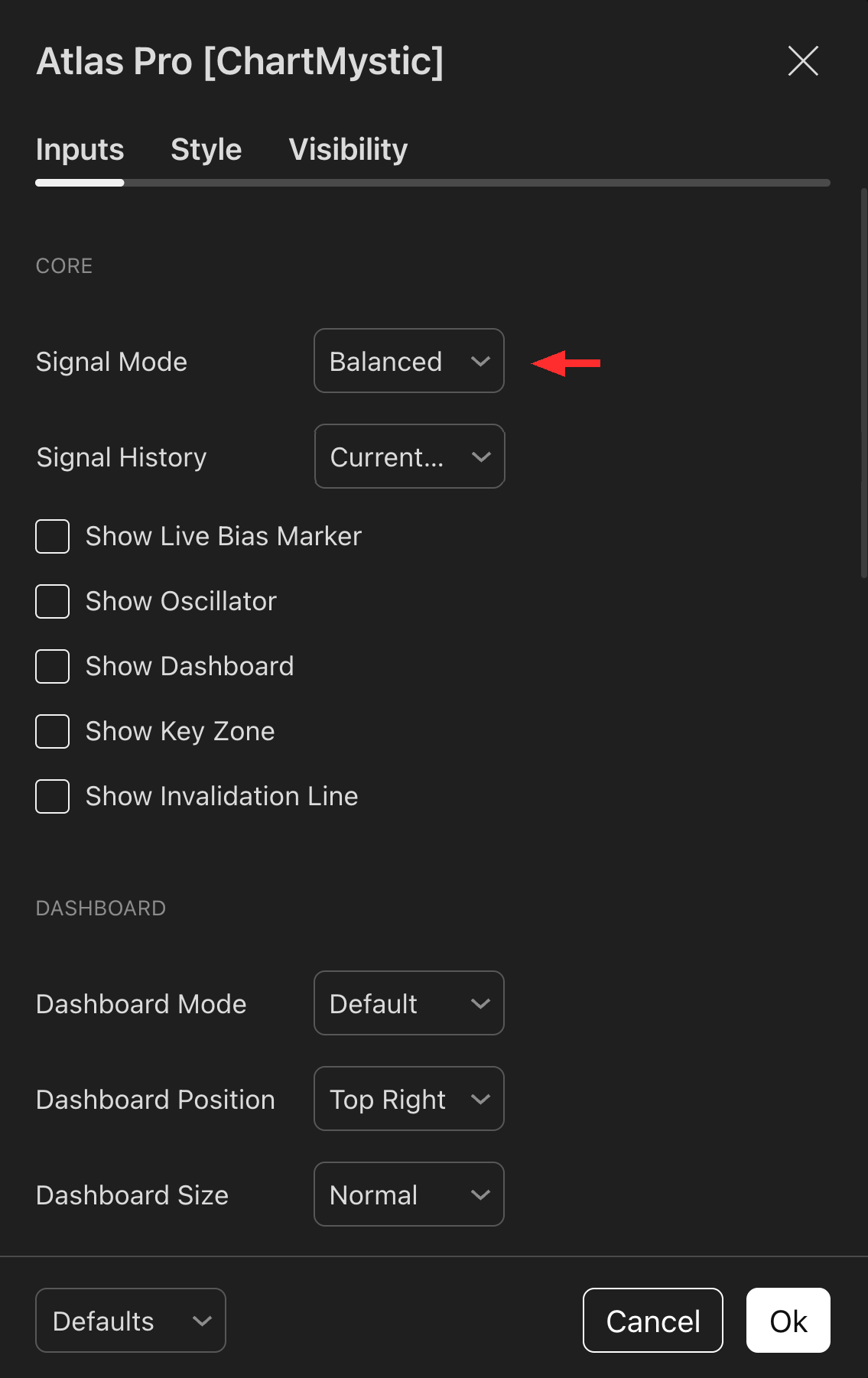
Signal Mode lives in the Core section of the Atlas Pro settings.
The mode shapes acceptance sensitivity, release timing, and anti-clustering behavior — not the raw confidence threshold every signal still has to clear. Start with Balanced and only switch after you have spent time with the default cadence on the symbols and timeframes you actually trade.
Signal Modes
Conservative
The strictest mode. Tightens acceptance sensitivity, lengthens the release window, and applies stronger anti-clustering rules.
The result: fewer confirmed markers with a higher average quality bar.
Use Conservative when:
- Atlas Pro is one layer inside a stricter workflow that needs the indicator to stay quiet.
- You are managing a small number of high-conviction trades.
- You want the chart to surface only the most decisive events.
Balanced
The default mode and the canonical Atlas Pro experience.
Balanced is the mode the engine was tuned around and the one every other section of the docs implicitly assumes. It produces a steady, readable cadence of confirmed markers across most symbols and timeframes.
Start here. Get comfortable with the default behavior, and only move to Conservative or Aggressive when you have a specific reason to deviate.
Aggressive
The most active mode. Relaxes acceptance sensitivity and shortens release timing, producing more frequent confirmed markers.
Useful when:
- Your workflow is shorter-term and you want more events to react to.
- You are comfortable filtering some additional noise yourself.
Aggressive does not make signals better or earlier in a useful sense — it loosens the gate. The engine still has to clear context, trigger, pressure, and Auction Acceptance, just with more permissive release tolerances.
What Each Mode Changes Under The Hood
Signal Mode shapes acceptance sensitivity, release timing, and anti-clustering behavior — not raw confidence thresholds. Every confirmed marker, in every mode, still has to clear context, trigger, pressure, and Auction Acceptance. The mode determines how forgiving the engine is on the release side once a candidate qualifies.
Start with Balanced
Balanced is the canonical baseline and the only mode the rest of the docs are written around. Learn the default behavior first. After you understand it, test Conservative and Aggressive on the same symbols and timeframes you actually trade — and compare how the confirmed markers change against your reading workflow before committing to a different mode.
Signal History
Signal History controls how many historical confirmed signal markers Atlas Pro paints on the chart. It does not change what counts as a confirmed signal or how the Live Bias Marker behaves — only how much of the past is rendered.
All
Renders every historical confirmed marker that meets the active Signal Mode's release rules. Use this when you are studying past behavior or comparing the engine's track record across periods — every closed-bar event is laid out across the chart at once.
Current Session
The default. Current session markers plus a small number of recent historical markers.
Off
Hides every historical confirmed marker. The Live Bias Marker still updates on the current bar and confirmed-signal alerts still fire — only the historical chart markers are suppressed. Useful when you want the cleanest possible chart and prefer to rely on alerts plus the live read alone.